
Frequently Asked Questions

Jump directly to these topics:
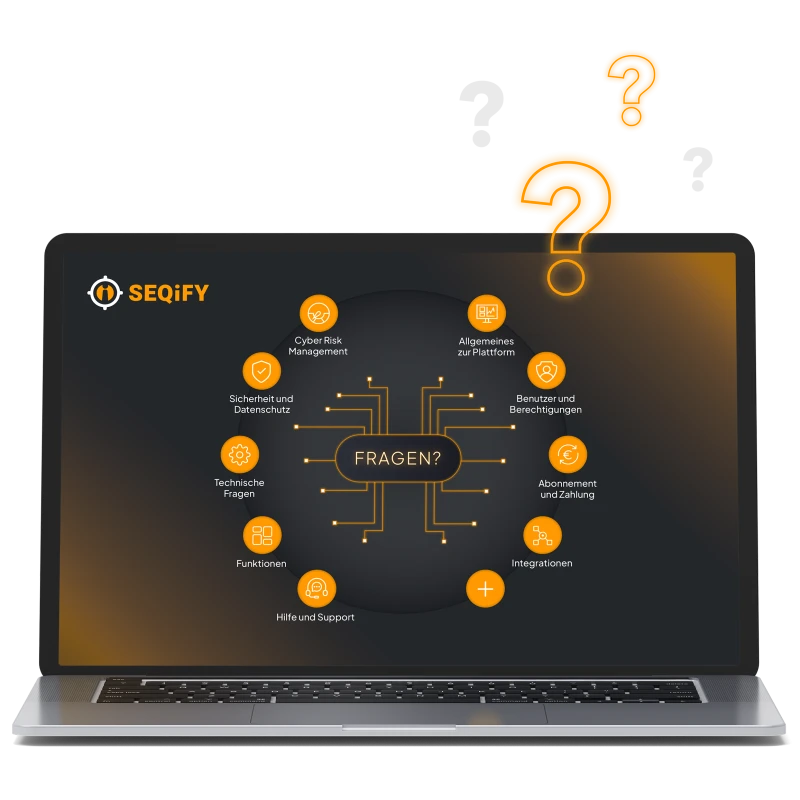

What is SEQiFY?
What is SEQiFY?
SEQIFY is a SaaS platform that identifies cyber risks within your organization, links them to global risk data, assesses them, and prioritizes them based on business relevance - across all your systems. You gain a centralized view of risk, complete with the key data needed to proactively manage it.
Is SEQIFY a tool or a platform?
SEQIFY is a platform that aggregates data from various systems and uses it to provide a unified view of risk for IT and management - rather than simply delivering isolated security information in silos.
Is SEQiFY a SIEM? Can it replace existing security tools?
No – SEQIFY is not a SIEM and does not replace operational tools. Instead, SEQIFY uses existing systems such as SIEMs, vulnerability scanners, Active Directory, etc., as data sources. SEQIFY analyzes, correlates, and enriches this information - and translates it into actionable risks that are suitable for management.
Who uses SEQiFY in the company?
SEQIFY is used by CIOs, CISOs, IT leaders, and security and operations teams - with different views tailored to each role, ranging from management dashboards to operational risk prioritization.
What types of companies is SEQIFY suitable for?
SEQIFY is ideal for companies that need to continuously manage cyber risks - especially when there are many systems, locations, or external requirements (e.g., compliance, audits) involved.
General Information About the Platform
How often is the data in my SEQiFY dashboard updated?
Data from external sources is updated daily. All newly available information regarding CVEs, security vulnerabilities, updates, EOL, and more is taken into account.
In which languages is SEQiFY available?
The SEQiFY Dashboard is available in German and English, and we have support staff who speak both languages.
Can SEQiFY also handle multiple locations or subsidiaries?
Yes, SEQIFY is multi-client capable and is ideal for companies with multiple locations, branches, or subsidiaries. You can analyze risks separately, assign responsibilities, and still maintain a centralized, consolidated overview for management - including comparable metrics and consistent control.
Features
Go directly to these features:
What features does SEQiFY offer?
SEQiFY provides the tools needed to implement continuous cyber risk management for business IT. This includes automated monitoring, risk prioritization, and insights into the interrelationships.
An excerpt:
Cross-System Risk Indicator
Risk Forecast
OS Insights
App Risk Data
Identification of Ghost Users
Recommendations
Compliance Insights
Reporting
Benchmarks
Acceptable Risk
You can also find an overview of the most popular features here.
Which features are included in each subscription plan?
All currently available features are included in the Enterprise plans.
Note: Some features (such as Integration Insights) are only active if the corresponding connectors have been set up.
The Smart, Flex, and Plus plans each include different features; you can find the current overview here.
What types of risks does SEQIFY cover? (Vulnerabilities, compliance, assets, etc.)
SEQIFY covers key areas of cyber risk - including vulnerabilities, asset and system risks (devices, users, applications), configuration and security gaps, and compliance-related risks. The goal is to provide a comprehensive view of the most significant risk drivers in the IT landscape.
How does SEQIFY identify risks - and how are they assessed?
SEQIFY identifies risks by consolidating, normalizing, and contextualizing data from connected systems. The assessment is based on a risk logic that includes prioritization, making it clear what is truly critical - and where actions will have the greatest impact.
Features: App Insights
What are App Insights?
The App Insights provide a company-wide, cross-system overview of your app-related risks—for mobile devices as well as desktop and server apps. The risk indicator incorporates various risk-relevant data, such as critical lifecycle information and potential multi-version installations. Additionally, information on granted permissions and the app developers’ headquarters is available.
Are App Insights only available for mobile devices?
No - App Insights are available for your mobile devices as well as for desktop and server apps, providing a company-wide, cross-system overview of your app-related risks.
Why don't I see detailed information in App Insights?
Detailed information—such as details about individual devices - is disabled by default in App Insights and can be enabled on a per-user basis by authorized individuals (with the “Owner” or “Enterprise Manager” role).
Funktionen: User Insights ("Ghost User")
How can I identify “ghost users”?
In the “User Insights” section (located under Risk Insights > User Insights), the overview shows you how many ghost users have been identified and which systems they are associated with. Clicking on “Ghost User” opens the corresponding list.
How does SEQiFY determine which user accounts are “ghost users”?
Please define your “primary system” in the connectors (under Connectors > Edit in the respective connector: set “Is Primary Directory” to ‘on’). SEQiFY refers to this primary system when listing “ghost users.” If a user account is not (or no longer) present there, any discrepancies will be displayed as ghost users.
Users & Permissions
How many users can be created?
You can create as many users as you like for each account, each with different roles.
Can we assign different permissions to users?
Yes, each user can be assigned a user role with different permissions.
The following user roles are available:
User: Access to results in the dashboard
Admin: Can set up and edit connectors and perform technical configurations
Tenant Admin: In addition to Admin functions, can create and manage users
Purchasing: Tenant & Account Management; can change subscription models and adjust quantities
Manager: Combination of Admin + Purchasing: Can adjust subscription models and quantities, as well as make technical adjustments (connectors/configurations)
Enterprise Manager: Can create and edit users in addition to the permissions of the “Manager”
Owner: Has all permissions (assigned only once per account)
User Manager: Can only manage users (no dashboard access, no account or tenant management)
What user roles are available?
The following user roles are available:
User: Access to results in the dashboard
Admin: Can set up and edit connectors and perform technical configurations
Tenant Admin: In addition to Admin functions, can create and manage users
Purchasing: Tenant & Account Management; can change subscription models and adjust quantities
Manager: Combination of Admin + Purchasing: Can adjust subscription models and quantities, as well as make technical adjustments (connectors/configurations)
Enterprise Manager: Can create and edit users in addition to the permissions of the “Manager”
Owner: Has all permissions (assigned only once per account)
User Manager: Can only manage users (no dashboard access, no account or tenant management)
Where can I create users or change permissions?
With permissions in the “Owner,” “Tenant Admin,” “Enterprise Manager,” or “User Manager” roles, you can create or delete new users. You can find an overview of your users in the Admin Center under User Management -> Users. You can also modify permissions for existing users there.
Is it possible to configure which users can access which tenants?
Yes, in the Admin Center -> User Management, you can specify for each user (regardless of their role) which tenants they can access.
Technical Questions
What are the technical requirements for SEQiFY?
Above all, SEQIFY requires access to relevant data sources within your IT and security infrastructure. Integration typically takes place via Standardized Connectors- without requiring you to replace your existing toolset.
Basic data is usually sufficient to get started, and expansion can take place gradually—depending on your objectives and the desired depth of the risk analysis. We would be happy to work with you to determine which systems are suitable for integration.
You can find a detailed overview of the available connectors here.
Can different systems be integrated?
Yes. Systems can be connected in multiple ways and in various combinations. This ensures 100% coverage of your critical risks across all devices and countries - all within a single, centralized platform for your entire organization.
Does using SEQIFY require a local installation on PCs or smartphones?
SEQiFY is a cloud-based service. All users can access the SEQiFY dashboard and its features from anywhere via a web browser. There is no need for a local installation on a computer or for installing apps or similar software on the managed devices.
Is SEQIFY available as a cloud-based solution or on-premises?
SEQIFY is available as a cloud-based service, allowing for efficient and centralized updates, operation, and scaling.
Integrations
What integrations are available?
We support the integration of numerous systems from areas such as MDM, endpoint security, vulnerability management, awareness, and many others, incorporating risk-relevant information. A detailed list of all available connectors (integrations) can be found here.
We are also happy to assess whether other systems are suitable for integration and, if needed, can make new connectors available within a few weeks.
How many integrations or connectors can I use?
Depending on your plan, you can connect multiple different systems to SEQiFY within a single tenant using a connector. You can find the current details about the plans here.
I need a connector or integration for a new system - is that possible?
We would be happy to assess the technical feasibility and, if necessary, can provide new connectors within approximately 14 days.
Security & Privacy
Where is the company data entered into SEQiFY stored?
All servers used by SEQiFY are located in the EU and are therefore subject to European data protection regulations.
How can I be sure that our data is secure with SEQiFY?
The GENOA Group (the owner and distributor of the SEQiFY risk management tool) has successfully obtained ISO 27001 certification - thereby demonstrating that it consistently meets the highest standards for data protection.
Is multi-factor authentication available?
Yes, the MFA (multi-factor authentication) option is available in SEQiFY and can be enabled to significantly enhance security when logging into the dashboard. By entering your username, password, and code (OTP), your data is even better protected against unauthorized access.
Do we need a DPA or a letter of commitment?
Yes, therefore SEQIFY provides a self-disclosure declaration, which replaces the Data Processing Agreement (DPA). The self-disclosure declaration can be requested at any time via email.
Purpose: Processing and analyzing customer-provided information in order to display risk-related information for devices and users to authorized SEQIFY users.
What personal data of employees is processed?
We process the following personal data: first name, last name, email address, and device and software information.
When is employees' personal data deleted from the dashboard?
SEQIFY displays user data from your company’s connected systems. If a user no longer exists in any of the connected systems, the associated data will be removed from SEQIFY within 24 hours.
Example: A company has integrated Entra ID, Endpoint Security, and MDM as data sources in SEQIFY.
a) If a user is still in Entra ID and MDM but has been removed from Endpoint Security, the user data remains visible in SEQIFY.
b) If a user is deleted from all three systems, the corresponding data is also automatically removed from SEQIFY within 24 hours.
Help and Support
Who can I contact if I have general questions about SEQiFY?
We’d love to hear from you! Feel free to book an appointment with our team here - we’ll be happy to make time for you.
If you have a quick question, please feel free to email us at info@seqify.net.
How do I schedule a SEQiFY demo?
Would you like to learn more about SEQiFY, take a look at the dashboard, and see how businesses can benefit from SEQiFY?
We’d love to! We look forward to meeting you in person! You can book a free, no-obligation online demo here - just select a date that works for you from the calendar.
How can I get support as a customer?
As a customer, you have direct access to the SEQiFY Chat right from the dashboard, where you can get in touch with our team. Customers can easily post questions, clarify any uncertainties, or even share new ideas there and receive a quick response.
Subscription and Payment
Can I try SEQiFY for free?
YES, for those interested, we offer a free 14-day trial of SEQiFY. You’ll immediately gain insight into your company’s real-time data and can analyze initial risk indicators via the SEQiFY dashboard - set up in minutes and completely free of charge.
How much does it cost to use SEQiFY for my business?
Pricing is based on the number of “monitored units” (devices, users, or services) that you manage in SEQiFY. We offer a variety of subscription options tailored to businesses of different sizes. You can find an overview of our subscription plans here.
What subscription options are available?
For businesses and corporations, we offer full-featured Enterprise plans for SEQiFY (starting at 1,000 licenses). Depending on the number of licenses you need, you can take advantage of our competitively priced tiered rates.
For beginners, SMEs, and growing companies (up to 1,000 licenses), you can choose from three subscription plans and use SEQiFY to the extent that best suits your needs.
You can find an overview here.
How does the pricing per "monitored units" work?
“Monitored units” may vary depending on the connected system and can refer to users, devices, or services.
Example:
If you use SEQiFY with a Connector to MS Defender, VMware, and Proofpoint, the number of licenses required is calculated as follows:
200 Devices for MS Defender +
100 Devices for VMware +
50 User for Proofpoint =
350 Units = required licenses for SEQiFY
IMPORTANT: The Connectors to Microsoft Entra ID and People Management Systems (Personio) are available at no additional cost and do not count toward the total number of required licenses.
What are the payment terms?
Pay monthly - or take advantage of our annual payment option to save money. We’d be happy to discuss which subscription plan is best for you.
Is there a minimum contract term?
We are confident that SEQiFY offers you and your business a benefit you won’t want to do without, which is why we have decided not to require our customers to commit to a minimum contract term.
However, we are happy to offer various benefits through individual agreements if both parties agree on a minimum term.
Can I change my subscription plan while my service is active?
You can adjust your subscription to suit your needs at any time. Depending on your payment option, the change will take effect the following month (for monthly payments) or the following year (for annual payments).
How do I cancel a paid subscription?
You can cancel your paid subscription in your SEQiFY dashboard by providing 3 months’ notice, effective at the end of a contract year. The paid contract year begins on the first day of the month following the date the contract was signed and lasts for 12 months.
In your Admin Center, under “Tenants,” click the three dots to the right of the relevant tenant and select “Upgrade Subscription.” In the next window, select “Change Current Plan” and confirm by clicking “Cancel.” Please note that there is still a remaining term. You can continue to use SEQiFY as usual during this period; after that, your subscription will automatically end.
How can I delete my account?
You can only close your account if you do not have an active subscription or trial. After canceling your subscription or once your trial has expired, you can request to close your account in your Admin Center.